


- Why TikTok Content Belongs on Your Product Pages
- What You'll Need Before You Start
- How to Import TikTok Videos to Your Shopify Product Pages
- How to Make TikTok Videos Shoppable on Shopify
- Where to Place TikTok Content for Maximum Impact
- How to Keep Product Pages Stocked With Fresh TikTok Content
- What Types of TikTok Content Convert Best
- Real Brand Results
- Common Mistakes to Avoid
- Frequently Asked Questions
Your best TikTok content is sitting on a platform where people can't buy. Here's how to move it where buying actually happens — your product pages.
Why TikTok Content Belongs on Your Product Pages
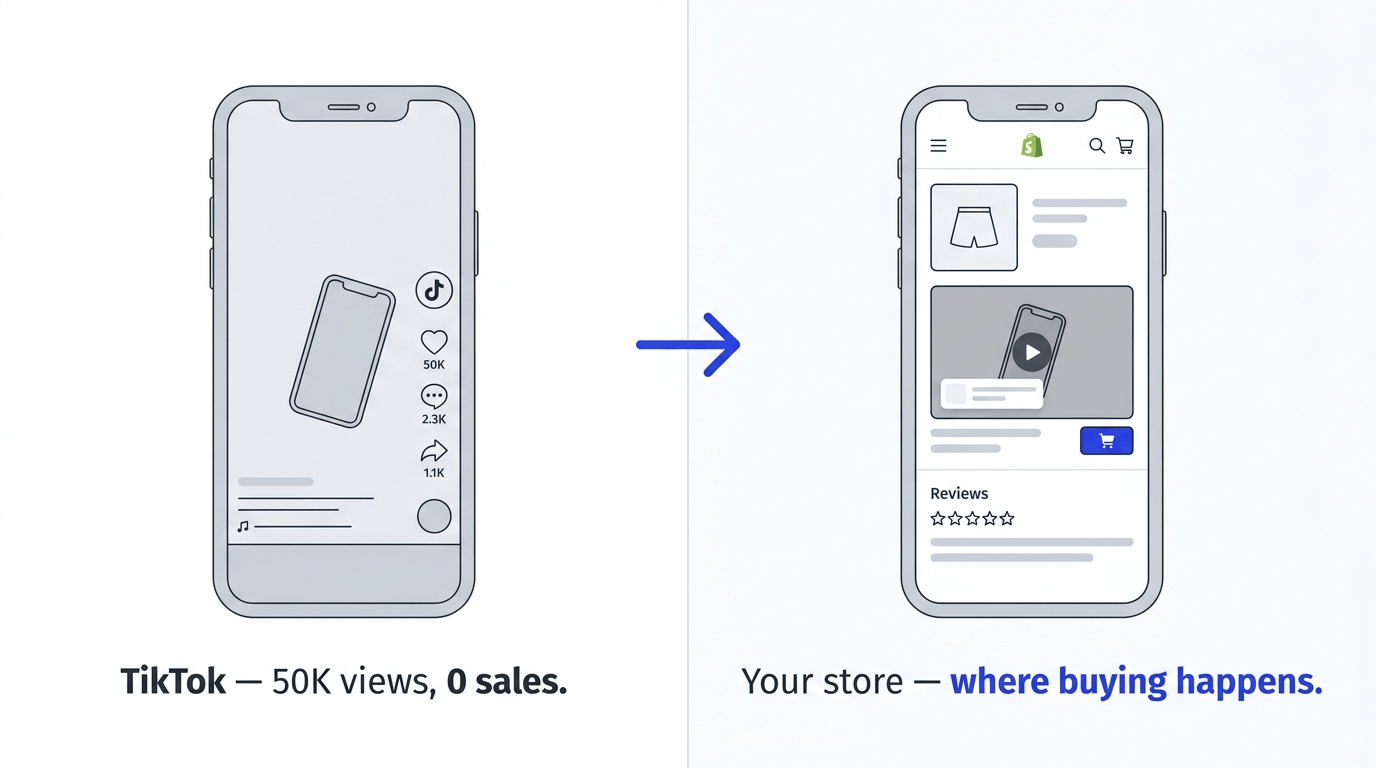
Here's a dynamic that plays out across thousands of Shopify stores every day. A brand posts a TikTok — a customer try-on, a creator review, a product demo that captures exactly how something looks and feels in real life. It gets 50,000 views and hundreds of comments. People love it. People ask where to buy.
And then they have to leave TikTok, search for the brand, navigate to the website, find the product, read a description, look at some photos, and decide to buy — without the video they just watched, which was the thing that convinced them in the first place.
That's the gap. TikTok content creates purchase intent at enormous scale. Shopify product pages are where purchase intent converts. The problem is that almost no brands connect the two.
The average TikTok ad has a click-through rate of around 1–2%. But a customer who actively searches for a product after seeing it on TikTok is already in a different mindset — they want it. Getting that person to a product page with the TikTok video they just watched, tagged with a buy button, removes most of the remaining friction between interest and purchase.
According to Wyzowl's latest research, 89% of consumers say watching a video has directly influenced a purchase decision. The question isn't whether TikTok content converts — it's whether yours is in the right place to do it.
What You'll Need Before You Start
Getting TikTok content onto your Shopify product pages is faster than most merchants expect. Before you begin, have these ready:
- A Shopify store with access to the admin and theme editor. No developer required.
- A shoppable video app. Moast is the fastest setup for TikTok import — it's Built for Shopify, installs in one click from the Shopify App Store, and the free plan includes unlimited views. You'll be live in under 5 minutes.
- TikTok content to import. This could be your own brand's TikToks, creator videos featuring your products, or customer content that has tagged your account. If your products have ever been featured on TikTok — by you, by a creator, by a customer — that content is importable right now.
- Public TikTok accounts only. Content from private TikTok accounts or videos set to Friends only can't be imported. Any account you want to pull from needs to be set to public.
How to Import TikTok Videos to Your Shopify Product Pages
Moast gives you four ways to import TikTok content, depending on what you want to bring in. Here's how each one works:
Method 1: Import a specific TikTok video by URL
This is the fastest method when you already know exactly which video you want. Go to the TikTok, tap Share, then Copy link, then:
- In your Moast admin, go to Media and click Add Media
- Select TikTok as your source
- Select TikTok URL and paste the link
- Configure your import settings (tag products during import to save time)
- Click Save — the video is in your library in seconds
Method 2: Browse and select from a TikTok profile
When you want to choose from multiple videos across a profile:
- Go to Media, Add Media, TikTok
- Select TikTok Handle URL and paste the profile URL
- Browse the posts — scroll back as far as needed using Load more
- Select up to 12 posts at a time using the checkboxes
- Click Save
This is the best method for importing a batch of your own TikTok content, or for browsing a creator's profile and selecting the specific videos that feature your products.
Method 3: Import by profile mentions
This is the method most merchants don't know about — and it's often where the best content is hiding:
- Go to Media, Add Media, TikTok
- Select Import by Profile Mentions
- Moast pulls in TikToks where other accounts have tagged or mentioned your handle
- Select up to 48 posts at a time
- Click Save
If creators or customers have featured your products without you knowing, this surfaces all of it. For brands with any creator activity — even micro-creators with small audiences — this step often uncovers content that didn't appear in your notifications.
Method 4: Import by hashtag
For brands with an active branded hashtag or community hashtag:
- Go to Media, Add Media, TikTok
- Select Import by Hashtag and enter your hashtag
- Browse and select from posts using that hashtag
- Import up to 48 posts at a time
A quick tip: before importing, configure your settings. You can choose to import videos only, hide content in widgets until you've reviewed it, and tag products during import — which means videos arrive in your library already shoppable, saving you a step.
For the full step-by-step walkthrough, see our complete guide to importing TikTok and Instagram Reels into Shopify.
How to Make TikTok Videos Shoppable on Shopify
Importing the TikTok video gets it into your library. Making it shoppable — adding a product tag so shoppers can click directly to buy — turns it into a conversion tool.
- Open the imported video in your Moast media library
- Click Add product tag
- Search for the product by name or Shopify handle
- Position the tag on the video frame — ideally when the product is most clearly visible
- Save
That's all it takes. The product tag appears as a small chip overlaid on the video when it plays on your store. Shoppers tap it, go straight to the product page or add to cart.
Tag during import to save time. If you're importing a batch of 10+ TikToks, tagging products during the import step rather than afterward is significantly faster.
Tag multiple products per video. If a TikTok shows multiple products — common in haul content, lifestyle videos, and creator content — add a tag for each one. Each tag links independently to a different product.
The tag doesn't need to be distracting. A well-positioned product tag that appears naturally — when the product is on screen and visible — gets more taps than a tag that appears to float randomly on the video.
Where to Place TikTok Content on Your Product Page for Maximum Impact
This step is where most merchants underperform. They import great TikTok content, make it shoppable, then bury it at the bottom of a long product page where almost no one sees it. Placement determines whether your TikTok content actually converts.
- Above the reviews section: the highest-converting placement. Shoppers who have scrolled past the product description and images are in active purchase consideration — they're looking for social proof and a final reason to feel confident. A real person on TikTok using your product is exactly what they need to see at that moment. ThruDark places their shoppable video carousel directly above the reviews section on their product pages and generated $5,854 in attributable sales in the first 30 days from content they already had.
- Near the add-to-cart button: high-intent placement. A floating video bubble or stories widget positioned near the buy button keeps video accessible at the moment of purchase decision without competing with product images.
- On collection pages: discovery placement. TikTok content on a collection page helps shoppers understand your range before committing to a specific PDP. Creator haul content that features multiple products from a collection is ideal here.
- On your homepage: brand and trust placement. A TikTok carousel on the homepage sets the tone for new visitors and signals immediately that real people use and love your products.

How to Keep Your Product Pages Stocked With Fresh TikTok Content Automatically
Manually importing TikTok videos every time you post, or every time a creator tags you, works — but it's maintenance. For brands posting regularly or with active creator communities, Social Sync automates the whole process.
Social Sync scans your connected TikTok accounts every 24 hours and automatically imports any new content that matches your sync settings. New post? It's in your store by the next day. Creator tags you? It's pulled in automatically.
To set up Social Sync: Moast Dashboard, Media, Social Syncs. You can create three types of TikTok syncs:
- Profile Sync — Automatically imports new TikToks you post to your own account going forward.
- Profile Mentions Sync — Automatically imports new TikToks where other accounts tag or mention your handle. This is the most powerful setting for brands with creator activity.
- Hashtag Sync — Automatically imports new TikToks using a specific hashtag. Set it to your branded hashtag and every new piece of community content is imported automatically.
One important note: Social Sync only imports content going forward, not historical posts. If you want past TikToks in your library, use the manual import methods above first, then activate Social Sync to handle everything new from that point on.

What Types of TikTok Content Convert Best on Shopify PDPs
Not all TikTok content performs equally on product pages. Here's what the data and merchant experience consistently show:
- Authentic customer and creator content outperforms brand video. A creator's genuine reaction to your product, filmed on an iPhone with natural lighting and real enthusiasm, will almost always convert better on a product page than a polished brand TikTok.
- Product-specific content beats lifestyle content on PDPs. A TikTok that shows your specific product being used — how it fits, how it performs, what it looks like on a real person — converts better than content where the product appears briefly in a wider scene.
- Short wins on mobile. Most product page browsing happens on mobile. TikToks in the 15–30 second range work best for PDP placement — long enough to show the product properly, short enough to hold attention through to the product tag tap.
- Content showing fit, application, or performance converts best. For apparel, a TikTok showing how something fits on a real body. For beauty, a quick application or before-and-after. For fitness gear, a demo in actual use. The content type that answers the question shoppers are actually asking is the content that converts.
- Diversity matters. If all your TikTok content shows the same body type, skin tone, or use case, you're answering questions for some shoppers and leaving others without an answer. A mix of creators and customer types makes your PDP content more universally convincing.
Real Brand Results: TikTok Content on Shopify Product Pages
ThruDark — $5,854 in 30 days from existing TikTok and social content. ThruDark makes premium performance apparel for people who demand a lot from their gear. They placed existing TikTok and social UGC directly on their product pages as shoppable carousels above the reviews section. Within 30 days: 293 videos live, 3,390+ monthly views, and $5,854 in directly attributable sales — from content that was already sitting in their social accounts.
LNDR — 100,000+ video views in the first few weeks. LNDR is a premium activewear brand with a strong social presence. They used a 3-video rule across their PDPs — a UGC clip, a testimonial, and a product-in-action video — built largely from imported TikTok and Instagram content. The result: 393 videos across their product pages and 100,000+ video views in their first few weeks with Moast.
American Candy Store — a self-updating library from creator TikToks. American Candy Store sells U.S. candy in Australia — a novelty product where taste reaction videos are the most convincing content possible. They imported their creator TikTok content directly onto their homepage and product pages, then set up Social Sync so new creator content gets pulled in automatically. The library updates itself.
The common thread across all three: the TikTok content already existed. It just needed to be in the right place, with a product tag that made buying immediate.
Common Mistakes to Avoid
- Importing TikToks without adding product tags. A TikTok on your product page without a product tag is content. A TikTok with a product tag is a conversion tool. Tag every video before publishing.
- Placing TikTok content only on the homepage. The homepage is where people browse. Product pages are where people buy. Your highest-impact PDPs need video.
- Using only your own brand TikToks. Creator and customer content consistently outperforms brand content on product pages because it reads as unbiased. Mix your own content with creator and UGC content for maximum credibility.
- Not checking for brand mentions before concluding you have no TikTok content. Use Import by Profile Mentions to search for TikToks that have tagged your handle. Most brands with any social presence have more creator content than they realise.
- Refreshing content too infrequently. Returning visitors who see the same TikTok carousel every time will eventually stop engaging. Set up Social Sync to automatically import new content and rotate your widgets monthly.
- Skipping the mobile test. The majority of your shoppers are on mobile. Before publishing, open your product page on your phone and confirm the widget loads quickly, the product tags are tappable, and the video doesn't cover your add-to-cart button.
Frequently Asked Questions
Can I add TikTok videos to my Shopify product pages?
Yes. With a shoppable video app like Moast, you can import any public TikTok video to your Shopify store by pasting the URL. The video appears in your media library in seconds, ready to be tagged with products and placed in a widget on any product page. No downloading, no re-uploading, no developer required.
Do I need permission to use TikTok creator videos on my Shopify store?
This is worth considering carefully. For your own brand TikToks, there's no issue. For creator and customer content, best practice is to reach out to the creator and get explicit permission before featuring their content on your store — particularly if you're going to profit from it directly. Many creators are happy to give permission in exchange for a credit link back to their profile, which Moast supports natively.
Does adding TikTok video to my Shopify product pages slow down my store?
It depends on the app. Poorly optimised video embeds can significantly impact your page speed and Core Web Vitals scores. Well-engineered apps like Moast are built specifically to avoid this — the total page load impact is 0.85MB, which has essentially zero measurable effect on performance. Always run a Google PageSpeed Insights test before and after adding any video widget.
How do I find TikTok videos that already feature my products?
Use Moast's Import by Profile Mentions feature, which surfaces TikToks where other accounts have tagged or mentioned your handle — including content you may never have seen. You can also import by hashtag to find all posts using a specific hashtag associated with your brand. Both methods let you import up to 48 posts at a time.
What's the best format for TikTok content on a Shopify product page?
A carousel widget or stories-style widget placed above the reviews section performs best on product pages. TikToks in the 15–30 second range work best on PDPs — short enough to hold attention, long enough to show the product properly. Every video should have a product tag. Authentic customer and creator content consistently outperforms polished brand TikToks on product pages.
Can I automatically sync new TikTok content to my Shopify product pages?
Yes. Moast's Social Sync feature automatically imports new content from connected TikTok accounts every 24 hours. You can sync your own profile posts, posts that mention your handle, and posts using a specific hashtag. New content can auto-approve straight into your widgets, or hold for manual review first.
The TikTok content driving purchase intent for your brand already exists — whether you created it, a creator did, or a customer did. Getting it onto your product pages is one of the highest-ROI changes you can make to your Shopify store, because it puts the most convincing content you have exactly where buying decisions happen.
Most merchants who start are live in under 30 minutes. The bigger question isn't how to do it — it's why you haven't done it yet.
Get started with Moast for free
Related reading: How to import TikTok and Instagram Reels into Shopify · How to add shoppable video to your Shopify store · Does shoppable video actually increase conversions?
Related content
.jpg)


Turn your social content into a revenue channel
Turn your TikToks and Reels into shoppable videos and boost conversions by 3.5x.