

So, what exactly is an interactive video? Think of it as taking a regular, one-way video and turning it into a two-way street. You layer in clickable elements—like buttons, hotspots, or even branching choices—that let the viewer actively participate instead of just passively watching.
With a platform like Moast for Shopify, this is surprisingly straightforward. You just upload your video, then use a simple editor to drag and drop these interactive features right onto the timeline. You can link them to product pages, add-to-cart buttons, or other content, effectively transforming your video from a simple ad into a powerful, on-the-spot shopping experience.
Why Interactive Video Is an E-Commerce Powerhouse
Let's be real: holding a potential customer's attention online is tough. Interactive video isn't just another shiny marketing trend; it’s a genuine shift in how people connect with products. The psychology behind it is solid—when you let someone click, explore, and make choices within a video, their engagement and ability to remember your product skyrockets.
This hands-on approach creates a much more personal and satisfying shopping journey. Instead of passively watching a demo, a customer can instantly click to see a different color, explore a specific feature that caught their eye, or get an immediate answer to a question. It closes the gap between "I'm interested" and "I'm buying," making the whole thing feel less like a sales pitch and more like a personal consultation.
The numbers back this up, too. The global interactive video market was valued at USD 5.1 billion in 2023 and is on track to hit around USD 15.4 billion by 2032. This isn't a fluke; it's driven by a clear demand for more engaging, personalized online experiences. You can dive deeper into the interactive video market growth on DataIntelo.com.
Transforming Viewing into Doing
Traditional video is a monologue. You talk, they (hopefully) listen. Interactive video, on the other hand, starts a dialogue. It hands the controls over to the customer, letting them steer the experience based on what they actually care about.
For anyone running a Shopify store, this is huge. You can use it to walk a customer through a complicated product, let them compare two items right inside the video player, or even gather valuable feedback on the spot.
The core idea is to stop talking at your customers and start building an experience they can interact with. When a viewer feels in control of their journey, they form a stronger connection to the product and feel way more confident about hitting that "buy" button.
This is where purpose-built tools make all the difference. Platforms like Moast are designed from the ground up to plug this kind of dynamic content right into your Shopify store, making the technical side of things a non-issue.
Take a look at how clean and simple the editor is. You don't need to be a video wizard to make something powerful.
Everything is designed to be intuitive. You can literally drag interactive elements onto your video, link them up, and you're good to go—no code or technical headaches required.
Key Benefits for Your Shopify Store
At the end of the day, it's all about driving sales and building a brand people love. Interactive video helps you do just that in a few key ways:
- Skyrockets Engagement: It’s just a fact. People spend way more time with content they can actually interact with.
- Boosts Conversion Rates: By answering questions and showing products in a real-world context, you eliminate the friction and doubt that kill sales.
- Gathers Crucial Customer Data: Every click is a piece of feedback. You get priceless insights into which products and features your audience is most excited about.
Learning how to make an interactive video isn't just about creating another piece of marketing content. It's about building an automated sales tool that engages customers and drives revenue around the clock.
Blueprinting Your First Interactive Video

The best interactive videos are made long before you ever hit the record button. All the magic happens in the planning phase. Think of this as your playbook, where you make sure every click, every choice, and every branching path has a clear purpose. It all starts with setting one, and only one, core goal.
Seriously, what's the one thing you want this video to accomplish? Is it to get more "add to carts" on a new jacket? Or maybe it's to walk customers through the technical specs of a backpack to cut down on returns. Pinpointing a single objective is the most critical decision you'll make, as it dictates everything that follows, from the script to the final edit.
Imagine a Shopify store that sells outdoor gear. Their goal might be to help a shopper decide between two of their best-selling hiking jackets. The objective here is crystal clear: guide the customer to a confident purchase by answering their biggest questions visually.
Mapping the Viewer's Journey
With your goal in hand, it's time to start thinking about the customer's path. You don't need any fancy software for this—a piece of paper and a pen are your best friends here. Sketch out a simple flowchart that outlines the viewer's journey, identifying the key decision points and the different directions they can go.
It’s basically a "choose your own adventure" for your products. What's the very first question you need to ask them?
Let's stick with our jacket example. The journey map could be as simple as this:
- The Hook: Start with a quick, engaging intro showing both jackets in action.
- The Big Question: A clickable prompt appears: "What's more important to you: Waterproofing or Packability?"
- Path A (Waterproofing): Choosing this jumps the viewer to a clip of that jacket getting blasted with water, proving its resistance. A hotspot links directly to that product page.
- Path B (Packability): This choice shows the other jacket being effortlessly stuffed into a tiny pouch, with its own "add to cart" link right there.
This simple map is your guarantee that the experience you're building is logical and, most importantly, helpful.
Planning the branches of your interactive video isn't just a technical step—it's an exercise in customer empathy. You're anticipating their questions and providing instant, satisfying answers, which builds trust and confidence in their purchasing decision.
Scripting for Clicks and Choices
Writing for an interactive video is a completely different beast than writing a normal script. You have to actively invite people to participate. Instead of just rattling off a list of features, you need to frame everything as a question or a choice.
The whole point is to make clicking feel like the natural next step. Use phrases like, "Which feature should we dive into first?" or "Tap here to see this in Onyx Black." These little prompts are what turn someone from a passive viewer into an active participant.
This means you need to think in terms of short, self-contained video chunks. Each branch on your flowchart needs its own mini-script that gets straight to the point. Remember, you're not just making one video; you're creating a web of interconnected clips. Keep them short and punchy to hold the viewer's attention and encourage them to keep exploring. This is the secret to learning how to make an interactive video that actually works.
Bringing Your Interactive Video to Life with Moast
With your blueprint ready, it's time to roll up your sleeves and get into production. This is where the magic happens—turning your standard video file into a dynamic, clickable experience that works for your Shopify store around the clock. Using a tool like Moast makes this surprisingly straightforward, moving you from a technical chore to a creative project.
The first move is simple: get your finished video into the Moast platform. It’s built to handle pretty much any standard video format, so it doesn't matter if you're exporting from a high-end editing suite or just using a great take from your phone. Upload it, and Moast gets it ready for the interactive layers you’re about to add.
Adding Clickable Hotspots
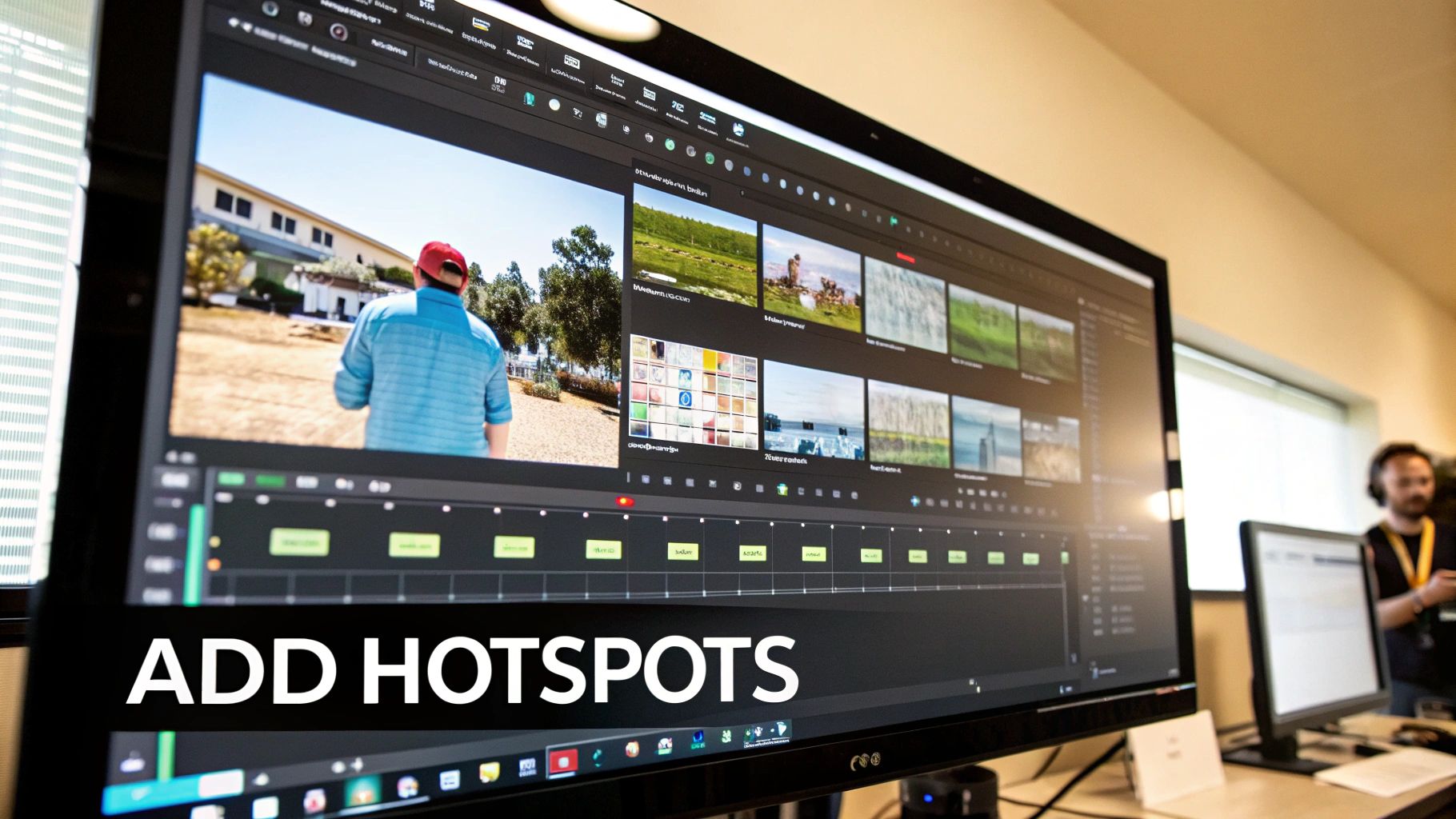
The bread and butter of any shoppable video is the hotspot. Think of it as a defined, clickable zone you can place over anything in your video—a product, a person, or a specific feature. When a viewer clicks it, something happens. They could land on a product page, see more info pop up, or even jump to a different part of the video.
In Moast, adding a hotspot is a simple drag-and-drop affair. You'll see an "Add Hotspot" icon in the editor. Just pull it onto the screen, then resize it to perfectly frame the product you want your customers to notice.
Let's walk through a real-world scenario. Say your video shows a model wearing a new spring jacket. You would:
- Pause the video at the exact moment the jacket is the star of the shot.
- Drag a hotspot element right over the jacket.
- In the hotspot's settings, you just paste the URL for that specific jacket's page on your Shopify store.
Done. Now, when a customer is watching and thinks, "I need that jacket," they can click and be on the product page in a heartbeat. This is what makes interactive video so potent for e-commerce—it closes the gap between discovery and purchase. There are a few different ways you can approach embedding links in your videos, so it's worth experimenting to see what resonates with your audience.
The real power of hotspots is how they eliminate friction. Every extra click or search a customer has to make is a chance to lose them. A clickable video hotspot removes almost all of those hurdles, creating a truly seamless path from "I want that" to "It's in my cart."
Crafting Branching Paths and Choices
But you can go much deeper than just linking to products. You have the power to create "choose your own adventure" style narratives. This is where you hand control over to the viewer, letting them decide what content they see next. It’s a fantastic way to make the experience feel personal and incredibly relevant, and it’s perfect for things like product comparisons, how-to guides, or styling sessions.
In Moast, you set this up by connecting different video segments. Imagine you're selling a versatile new backpack. Your main video could pose a question: "How will you use your new pack? For Everyday Carry or a Weekend Hike?"
- Choice 1 (Everyday Carry): Clicking this takes the viewer to a video clip that showcases the backpack's padded laptop sleeve and clever organizational pockets.
- Choice 2 (Weekend Hike): This option jumps to a totally different clip, this time demonstrating the bag’s weather-resistant fabric and impressive capacity.
You're no longer just showing a product; you're helping a customer solve their specific problem.
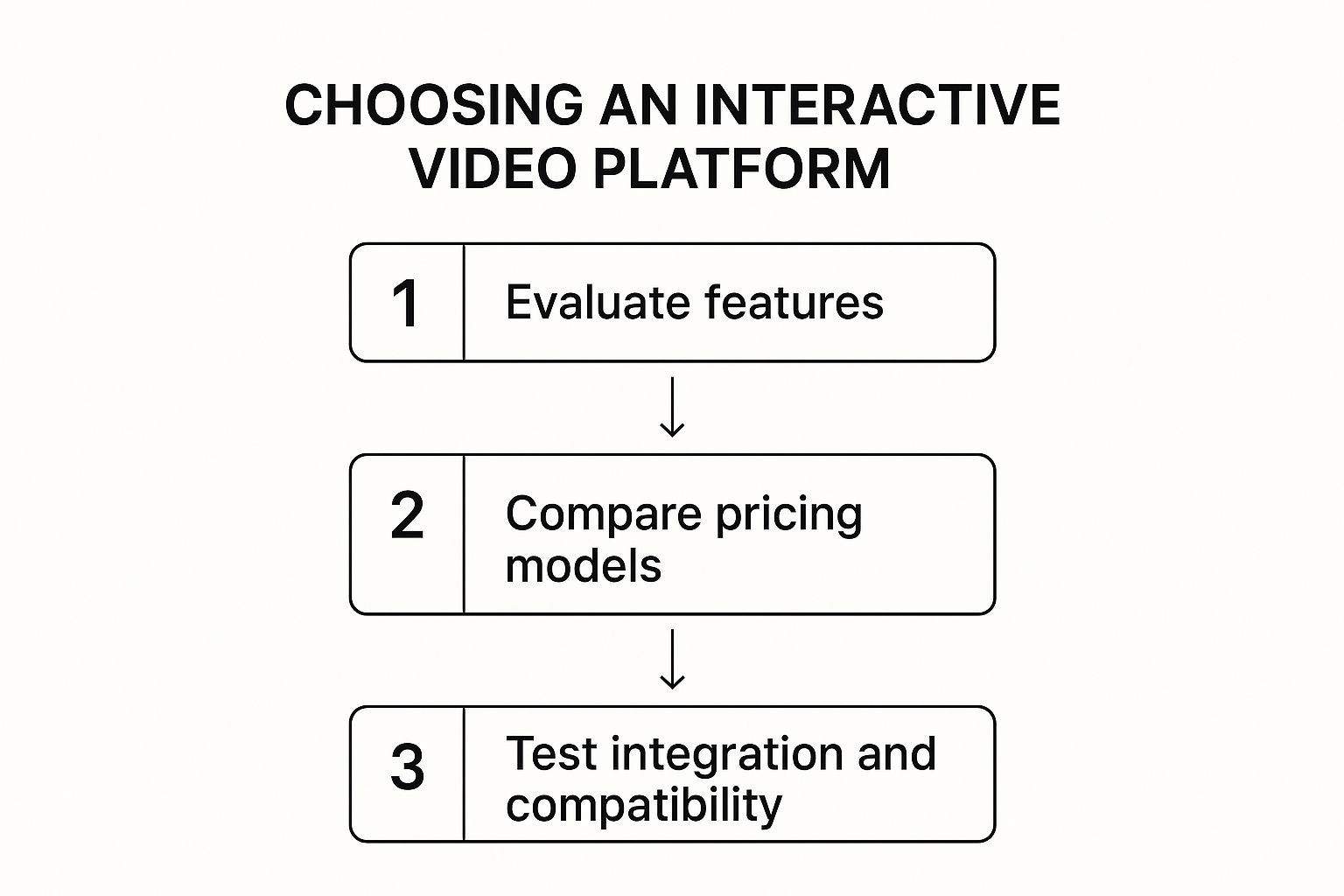
As you can see, a successful interactive video really comes down to choosing the right tool that fits your goals, budget, and the systems you already have in place.
The appetite for this kind of engaging video is only growing. Projections show that by 2025, video content will make up an incredible 82% of all consumer internet traffic. That number alone shows why interactive formats are becoming a must-have for any brand trying to cut through the noise.
Key Interactive Elements in Moast for Shopify
Moast offers a range of features designed to turn passive viewers into active customers. Here’s a quick breakdown of the most useful elements for a Shopify store owner and how you can put them to work.
Moast FeatureDescriptionShopify Use Case ExampleClickable HotspotsOverlays on the video that can be linked to any URL.Link directly from a featured product in a lifestyle video to its Shopify product page, cutting out the search process entirely.Branching PathsAllows viewers to choose which video segment to watch next.Create a "style quiz" video where viewers select their preferred aesthetic and are shown products that match their choices.In-Video Polls & QuizzesEmbed simple questions directly into the video player.Ask viewers which of three new t-shirt colors they prefer, gathering real-time market data to guide inventory purchasing.Pop-Up OverlaysTimed overlays that can display text, images, or forms.Add a pop-up with a limited-time discount code when a viewer clicks on a specific product hotspot.Gated ContentRequire viewers to enter an email address to continue watching.Offer an exclusive tutorial or behind-the-scenes look, capturing valuable leads for your email marketing list.
By mixing and matching these elements, you can build a truly unique experience that not only showcases your products but also engages your audience on a much deeper level.
Gathering Customer Insights with Polls
Finally, don't forget that an interactive video is more than just a sales channel; it's a direct line to your customers. You can embed simple quizzes and polls right into your video to collect incredibly valuable feedback without being intrusive.
Picture this: you're getting ready to launch a new line of sunglasses. You could produce a quick video showing off three potential frame styles and include a poll that asks, "Which style would you rock this summer?"
The answers you collect provide instant, real-world market research. This data can directly influence which styles you order in bulk, potentially saving you from a costly inventory mistake. This is how you create an interactive video that not only sells products but also makes your entire business smarter.
Getting Your Interactive Video Live on Shopify
Okay, so you’ve created a fantastic interactive video with Moast. That’s a huge win, but the real magic happens when you get it in front of your customers. Embedding it into your Shopify store is where all that hard work starts to pay off.
The key here is placement. Where you put the video is just as important as the video itself. You want to place it where customers are looking for that final piece of information or that little nudge of confidence before they click "buy."
Choosing the Right Spot
Hands down, the most powerful place for an interactive video is directly on your product page. Think of it as your best salesperson, working 24/7. It's right there, ready to answer questions, show off features, and build trust at the most critical point in the customer journey.
For a step-by-step guide on the technical side, we've got a full walkthrough right here: https://moast.io/blog/add-video-to-shopify-product-page
But don't stop there! Other high-impact spots include:
- Your Homepage: Make a bold first impression. Use an interactive video as your hero element to introduce your brand's story or a flagship collection. It’s a great way to pull visitors in immediately.
- Dedicated Landing Pages: Running a special campaign or launching a new product? A landing page built around a compelling interactive video can seriously improve your conversion rates.
- Blog Posts: Enhance your content by embedding videos into relevant articles. They can serve as visual tutorials or product demonstrations, adding a ton of value for your readers.
Embedding Your Moast Video (The Easy Part)
One of the best things about Moast is that you don't need to be a developer to get this done. It's surprisingly straightforward.
Inside your Moast dashboard, you'll find the "Embed Code" for your video. Just copy that little snippet of code.
Then, head over to your Shopify theme editor. Find the spot where you want the video to live—maybe in the product description or as a new custom section. All you have to do is paste the code into an HTML block, and you're done. The video will pop up, ready to go.
The goal is to make the video feel like a natural part of your store's design, not a tacked-on element. Moast’s embed code is built to be lightweight and responsive, so it won’t slow your site down and will look fantastic on any screen, from a phone to a desktop.
A Few Tweaks for Maximum Impact
Your video is live, but a couple of small adjustments can make a big difference in how many people actually watch it and engage. This is all about removing friction.
The shift toward interactive content is massive. The global market for interactive video walls, for instance, was valued at USD 20.84 billion in 2025 and is expected to rocket to USD 51.19 billion by 2032. This isn't just a trend; it's how customers now expect to engage with brands online.
Here’s how to get the most out of your embed:
- Pick a Great Thumbnail: This is your video's first impression. Choose a frame from your video that’s clear, exciting, and makes people want to click play. Don't just settle for the default.
- Double-Check on Mobile: Moast videos are responsive out of the box, but always test it yourself. Grab your phone and see how it looks. Since most of your traffic probably comes from mobile, this is non-negotiable.
- Keep It Above the Fold: Don’t make people hunt for your video. Place it high up on the page where it can be seen without scrolling. This dramatically increases viewership.
Your Video Is Live—Now What? Time to Track and Tweak
Getting your interactive video onto your Shopify store is a huge milestone, but it's really just the beginning. The magic happens when you start digging into the data to see how people are actually engaging with it. This is how you transform a cool piece of content into a fine-tuned sales machine.
Think of it this way: Moast’s analytics dashboard is your direct window into the customer’s mind. Forget basic view counts; we're talking about specific, actionable insights that show you what’s working, what’s not, and where the real opportunities are. This data is the key to making smarter decisions across your entire business.
Metrics That Actually Matter for Interactive Video
To really get a feel for your video's performance, you have to look beyond the metrics you'd track for a standard YouTube video. The interactive elements are where the richest data lives.
Here’s what I always keep a close eye on:
- Hotspot Click-Through Rate (CTR): This is your most direct feedback. It shows you precisely which products or features are grabbing your viewers' attention. If one item is getting all the clicks, that's a massive signal.
- Viewer Paths: Which journey do most people choose? By tracking the paths viewers take, you get a clear picture of their priorities and the information they're seeking most.
- Completion Rate Per Path: It's one thing for a viewer to start a path, but did they stick around? If the "Durability Test" path has a high completion rate, you know that content is resonating.
- Drop-Off Points: This is gold. Pinpointing the exact moment a viewer clicks away helps you identify confusing sections, uninteresting features, or weak calls to action that need a rethink.
This isn't just data for data's sake. It's a treasure trove of customer intent that was pretty much impossible to gather before.
Your analytics are a direct line to the customer’s thought process. A popular hotspot isn't just a click; it's a customer saying, "I want to know more about this." Listening to these signals is how you turn good content into a great strategy.
From Insights to Action
Seeing the numbers is one thing; using them to make improvements is what drives growth. Your analytics dashboard should be your playbook for continuous optimization, creating a feedback loop where data from one video informs the next.
Let's say you see a hotspot for a blue jacket getting 73% more clicks than the one for the red version. That's a clear winner. You could immediately update the product page to feature the blue jacket as the default image or make it the hero of your next email campaign.
This is where you can stop guessing and start testing with real-world behavior. A great place to start is with a simple A/B test. Create two slightly different versions of your interactive video—maybe one uses a pop-up overlay to offer a discount code, while the other links viewers directly to the product page. Let both run for a week, then jump into your Moast dashboard to see which one drove more sales.
By constantly analyzing what your customers are telling you through their clicks and choices, you build a smarter, more effective sales funnel. For a deeper dive into how video can power your entire marketing engine, check out our guide on video marketing for e-commerce.
Common Questions About Interactive Video
Jumping into interactive video for the first time usually sparks a few questions. It's a seriously powerful tool, but I get it—Shopify merchants want to know the practical ins and outs before they commit. Let's tackle some of the most common things people ask.
Do I Need Professional Video Equipment to Start?
Absolutely not. Look, a fancy camera is great, but clarity is what actually sells products. The smartphone in your pocket likely shoots incredible HD video, which is more than good enough to create an effective interactive experience.
You'll get much better results by focusing on the basics: good lighting, clear audio, and a simple, non-distracting background. The real impact comes from the interactive hotspots and branches you build in, not the camera model you used. A tool like Moast is designed to make any video feel premium.
Honestly, the most important thing is making your product look great and ensuring the audio is crystal clear. A well-lit, steady shot from your phone is way more effective than a shaky, poorly-lit video from a thousand-dollar camera.
Will an Interactive Video Slow Down My Shopify Store?
This is a big one, and for good reason—site speed is everything. The good news is that modern interactive video platforms are built from the ground up with performance in mind. They host the video files on their own optimized servers and give you a tiny snippet of embed code.
This code is specifically designed to load asynchronously. In simple terms, it means the video player doesn’t hold up the rest of your page from loading. Your product info, images, and "Add to Cart" button will all appear instantly. While you should always run a quick page speed test after adding new elements, a solution like Moast is engineered for a minimal performance footprint.
What Is the Ideal Length for a Product Video?
For product pages, the sweet spot for total potential runtime is around 60-90 seconds. The magic of interactivity is that it makes longer content feel much shorter because it's personalized.
Instead of one long, two-minute video that tries to cover everything, you can create multiple 30-second branches. One branch could cover a specific feature, another could show a use case, and a third could answer a common question. This lets a super-interested shopper dive deep into what matters to them, while someone else can get the main points and move on. It's all about being concise and letting the viewer guide their own experience.
For a deeper dive into the whole creation process, check out our complete guide on how to create interactive videos.
Ready to turn your product videos into your best salespeople? With Moast, you can add free, shoppable videos to your Shopify store in just minutes. Get started today and see the difference interactivity can make: https://www.moast.io
Related content
.jpg)

Turn your social content into a revenue channel
Turn your TikToks and Reels into shoppable videos and boost conversions by 3.5x.