
AI citations
Updated yesterday
AI citations checks whether AI assistants like ChatGPT and Gemini mention your store when shoppers ask questions.
You pick the questions, Moast asks them for you, and you see who each assistant recommends: your store, a competitor, or neither.
The feature is in early access and covers ChatGPT and Gemini.
Before you start
AI citations is in early access.
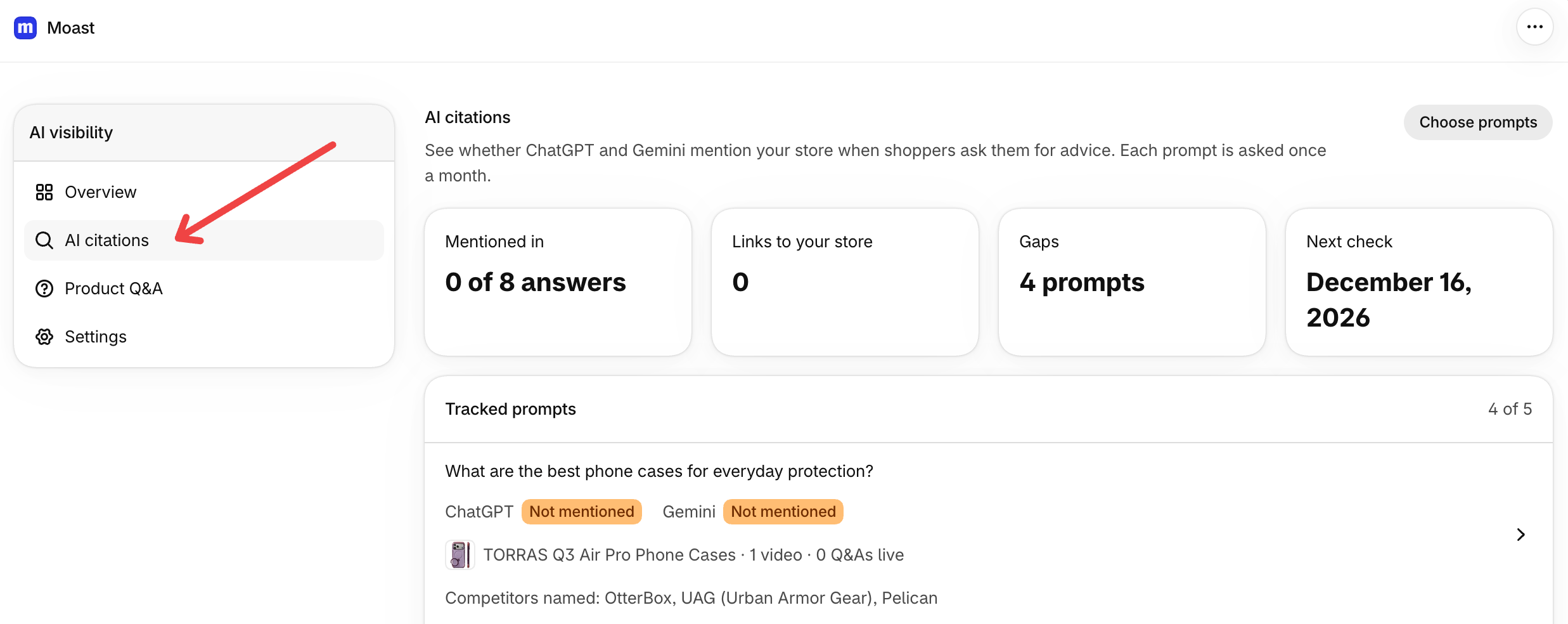
If your store has access, open AI visibility in the dashboard menu, then AI citations.
Choose the questions to track
You can track up to 5 questions shoppers might ask an AI assistant. Each question is asked once a month. The page shows how many you're tracking and your store's limit.
Open AI citations in AI visibility and click Choose prompts.
Pick questions from Moast's suggestions. They're based on your store name and your best-selling products. Suggestions start unchecked, so you choose only the ones you want.
To track your own question, type it under Add your own prompt and press Enter. Keep it between 10 and 200 characters. If you add the same question twice, the second one is skipped.
Save your choices. You'll see Prompts saved. First answers arrive in a few minutes. The page keeps updating as new answers come in.
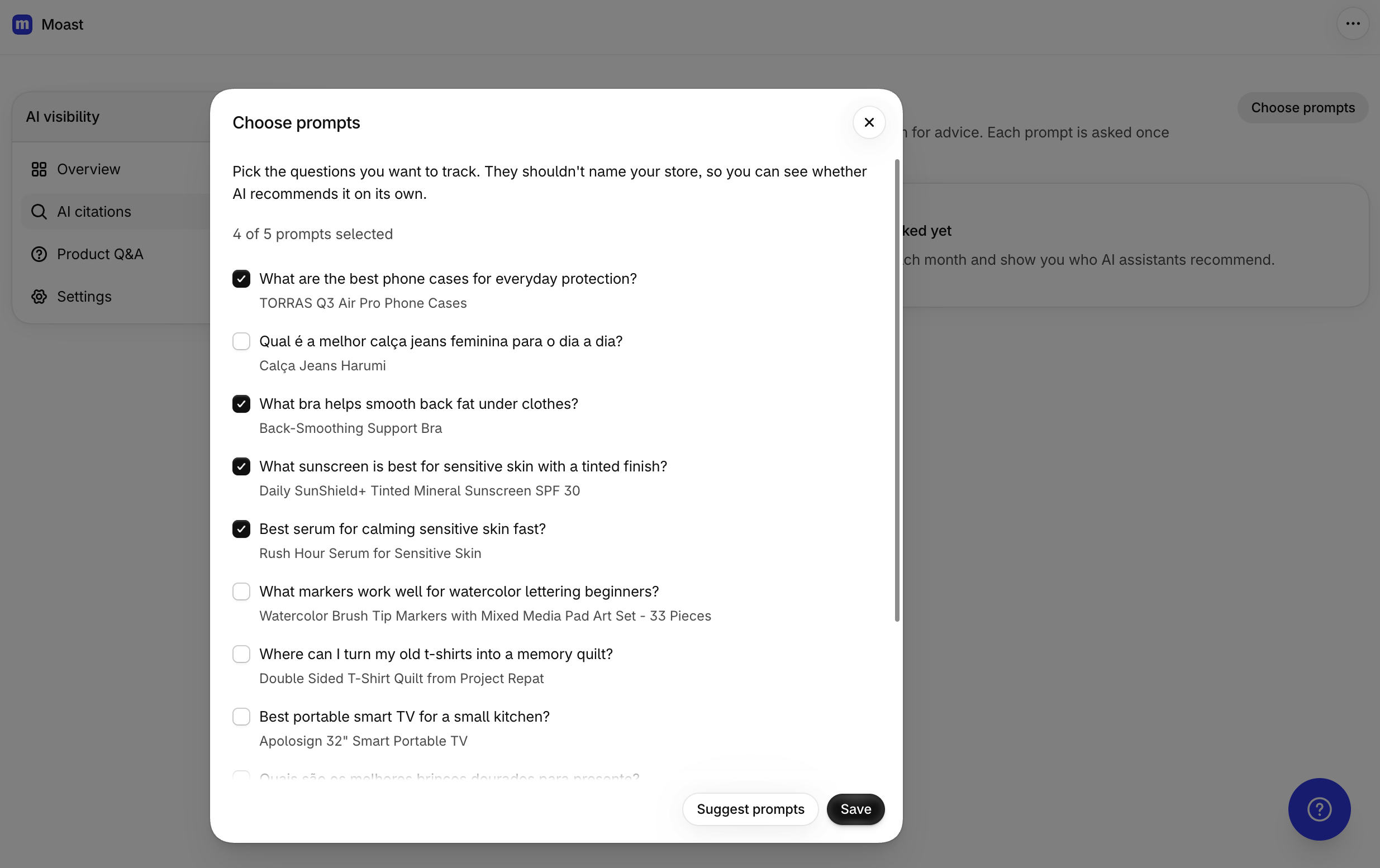
To stop tracking a question, clear it in Choose prompts. It stops being tracked, and its past answers stay on the page.
Read your results
The AI citations page shows the latest answer for each question from each assistant. The top of the page has four cards: Mentioned in, Links to your store, Gaps, and Next check.
Mentioned in shows how many answers mention your store, out of all the answers collected.
Next check shows when the next round of checks runs. It shows In progress while answers are still being collected.
Each question row shows a badge for each assistant:
Waiting: no answer yet.
Not mentioned: the assistant named neither your store nor your pages.
Mentioned: the answer names your store, but doesn't link to it.
Cited: the answer names your store and links to your store's pages.
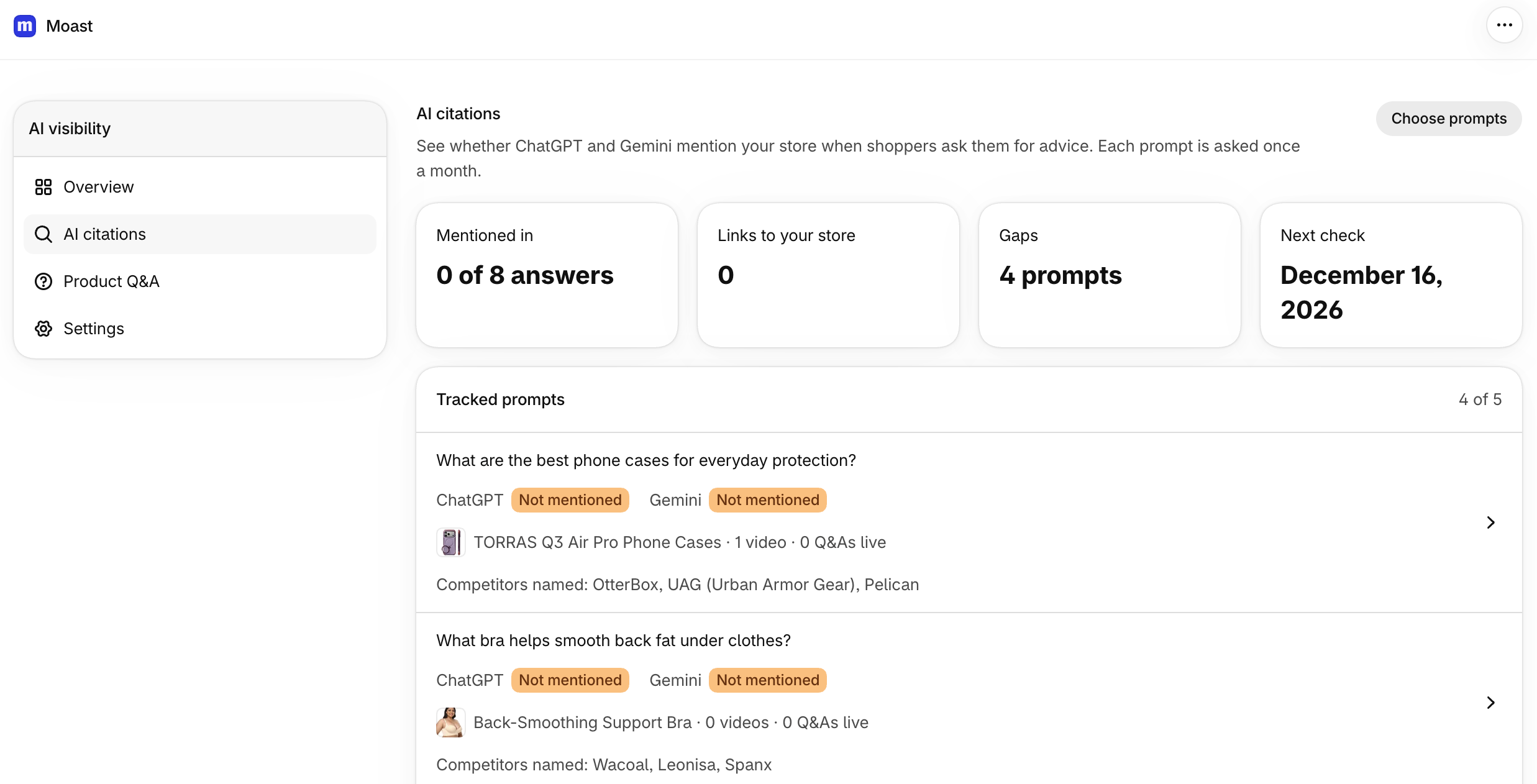
Click a question to open its detail page. You'll see the latest answer from each assistant, the answer text, the products it names, the competitors it names, and the pages it cites. Your own store's pages sort first.
Below your questions, two lists summarize the latest answers: Competitors AI recommends and Your products AI names, up to 8 entries each.
How your store's country affects answers
Moast tells each assistant where the shopper is located, using the main country on your Shopify store. For a store set to Canada, the assistant is told the shopper is in Canada, and its search leans toward Canadian pages.
The country affects the answers only. It doesn't change the questions Moast suggests, and it doesn't tell the assistant to favor your store: it only sets the shopper's location so answers match your market. If your store has no main country set, the answers aren't localized.
Video impact
The Video impact area compares results for questions tied to products that have videos against questions tied to products without videos. It also counts links to your store that lead to pages with your videos. These are side-by-side counts, not proof that a specific video caused a mention.
See citation results on the overview
When citations are on, the AI visibility overview adds two metrics: Mentioned by AI and Links to your store. They give you the store-level totals without opening the citations page.
If an answer is missing
If an assistant's answer didn't come back, its badge shows Waiting. The question stays queued and gets checked again, so you don't need to do anything.
For the setup that makes your videos readable by AI assistants and search engines in the first place, see AI and Search Engine Visibility.